I need help installing the Newipnow proxy and purchasing a proxy from the provider reproxy.network.
As the title suggests, I bought 10 proxies from newipnow but don't know how to configure them to work in GSA. I also bought IPv6 proxies for use with XEvil software, but the provider, reproxy.network, doesn't accept Visa or PayPal payments. How can I buy them now? Can anyone help me? Thank you very much!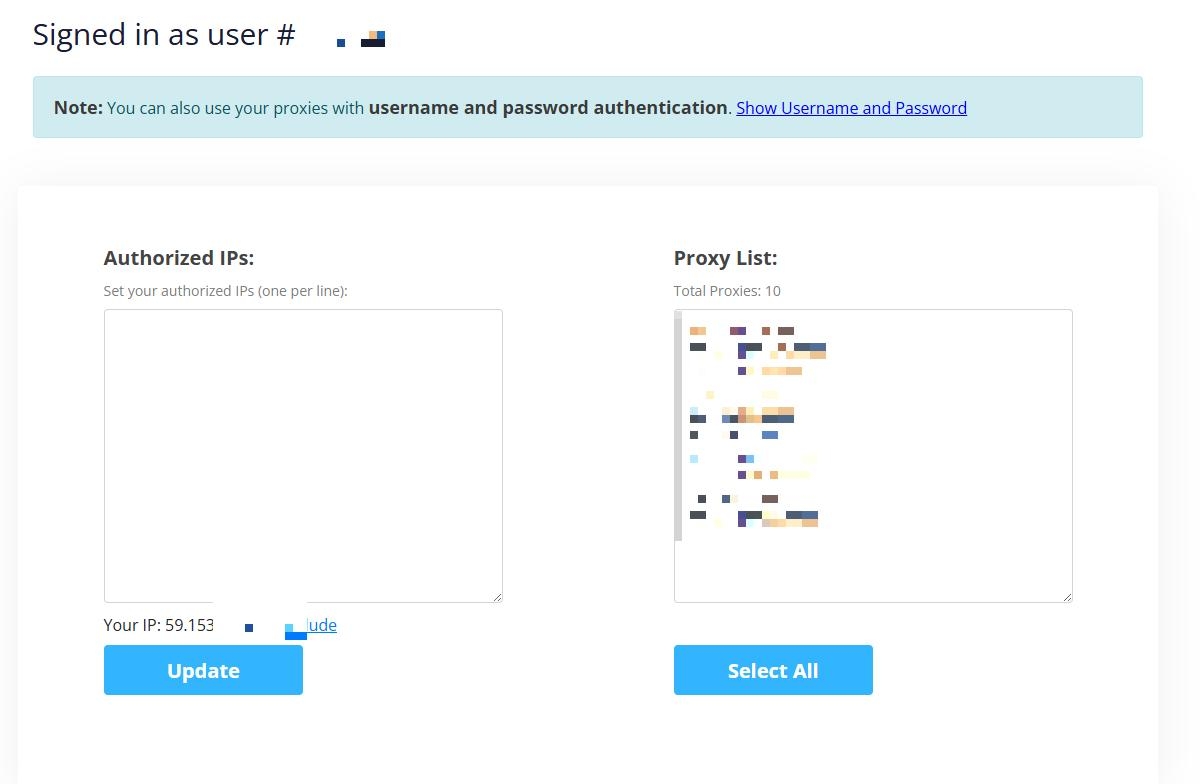
Comments
For paying for reproxy.network it's best to just talk to the provider - I'm sure they'll be willing to give you payment options.
I followed the instructions and configured this IPv6, so I'm really confused and still can't fix the error. haiza! Thank you Admin !
For NewIPNow
In the left column: Add the ip of your VPS and click update --- It will use IP authentication.
Then just copy the proxies and import them into GSA ser.
If you don't have a fix ip, meaning you are using from home, then click on the option Show Username and password --- and then you use the proxies with a username \ password on any IP
If you still dont get it - contact me via my site and i make a video to show you how to do it.
=========
Reproxy doesn't have PayPal or Visa on moment as they are a Russian company and being sanctioned. They had PayPal, but that got shut down a month or so ago - now u can only pay them via crypto
Here is an alternative where you can pay with PayPal - https://asiavirtualsolutions.com/product/xevil-proxies-recaptcha/