Skip to content

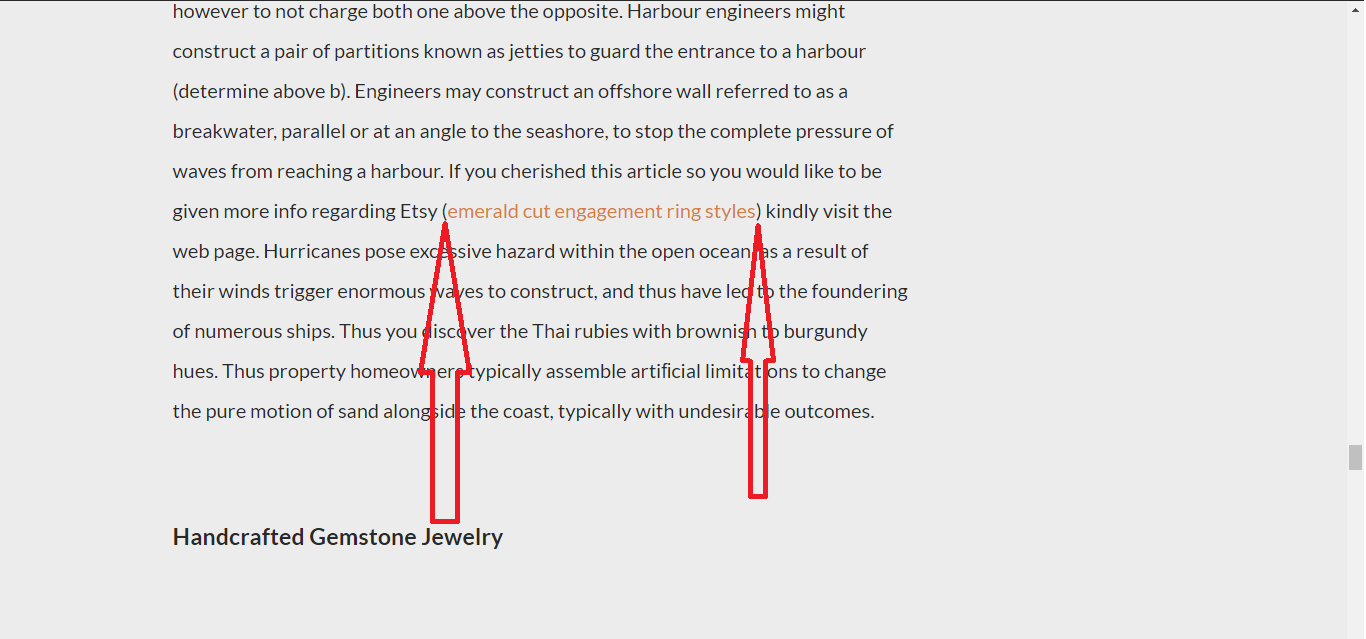
Not appear ()

VMartVMart Natural SEO
edited April 2019 in GSA Content Generator
What I change my GSA CG setting not appear ()
Comments

  • SvenSven www.GSA-Online.de
    thats inside the lang_data\en\sentences.dat
  • VMartVMart Natural SEO
    Plz add the future change the settings in GSA CG manager.
  • VMartVMart Natural SEO
    Can add the future not appear ) - in anchor placement
  • VMartVMart Natural SEO
    How can I make changes in sentences.data this file could not open.
    Can you add this future in CG project settings "Remove ( -".

  • SvenSven www.GSA-Online.de
    open it in notepad
  • SvenSven www.GSA-Online.de
    ...or wait for next update where you can specify how to "decorate" the link.
  • VMartVMart Natural SEO
    I tried sentences.dat, lot files are there, It's very confusion, I dont know how to working in this file, Better I will wait  for next updation...


  • SvenSven www.GSA-Online.de
    update is out
  • VMartVMart Natural SEO
    :) Thank U
Sign In or Register to comment.